

OSOYOO 7 inch DSI Touch Screen 720×1280 IPS Display, DSI Power & Video (No Extra Cables), Portrait/Landscape Rotatable Bare Screen for Raspberry Pi4B/3B+/3B/3A+/5

OSOYOO 7 inch DSI Touch Screen 720×1280 IPS Display, DSI Power & Video (No Extra Cables), Portrait/Landscape Rotatable Bare Screen for Raspberry Pi4B/3B+/3B/3A+/5
【5-Point Multitouch Control】Capacitive touch panel with 6H toughened glass supports five-finger simultaneous touch, offering smartphone-like responsiveness for interactive projects (kiosks, gaming). No external keyboard/mouse needed with on-screen keyboard support.
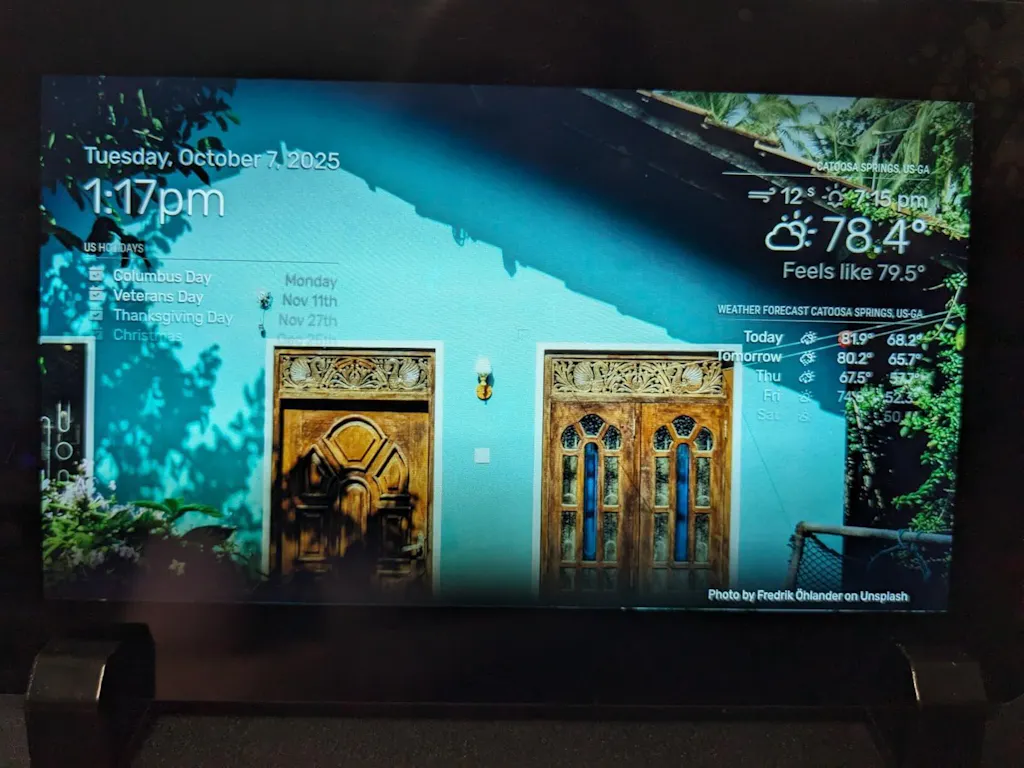
【Ultra-Clear IPS Display】7 inch 720×1280 resolution (16:9/9:16 adjustable) hardware resolution with IPS panel delivers 350nits brightness and 80° wide viewing angles (all sides), ensuring vivid colors and clarity from any direction – ideal for digital signage or outdoor use.
【Integration for Raspberry Pi】Direct DSI interface connection (no HDMI conversion) achieves 60Hz refresh rate with zero lag. Compatible with all DSI-equipped Raspberry Pi models (except Zero series), automatically detected by Raspberry Pi OS (Bookworm).
【Industrial-Grade Durability】-10℃~70℃ storage tolerance and 0℃~50℃ operating range with G+G (glass+glass) panel structure, built to withstand harsh environments. Perfect for industrial HMIs or embedded systems.
【Smart Backlight Control】Software-adjustable brightness (300-350 nits) via PWM dimming, reducing power consumption to 0.5A@5V. Low-blue-light design protects eyes during prolonged use.
Software Installation Guide:
Raspberry Pi OS:
https://osoyoo.com/2026/04/01/osoyoo-7%E2%80%B3-720x1280-hd-ips-dsi-capacitive-touchscreen-software-settings/
Ubuntu OS:
https://github.com/osoyoo/osoyoo_dsi_ubuntu/blob/master/readme.md
| PartNumber | Display | Touch | Audio | Device Support | |||||||||
|---|---|---|---|---|---|---|---|---|---|---|---|---|---|
| Resolu-tion | Display Port | Display Panel | View Angle | Touch Type | Touch Port | Toughened Glass Panel | Optical Bonding | Speaker | Signal Output | Pi | JETSON NANO | PC | |
| SPI DISPLAYS | |||||||||||||
| PROS: low price. | |||||||||||||
| CONS: low refresh rate & resolution, supports Raspberry Pi only, requires Raspberry Pi 40PIN GPIO (the SPI bus), poor compatibility with Raspberry Pi system. | |||||||||||||
| 3.5inch RPi SPI LCD | 480×320 | SPI | TFT | – | Resistive | SPI | √ | × | × | × | √ | × | × |
| HDMI / TYPE-C DISPLAYS | |||||||||||||
| PROS: high refresh rate, multiple resolution support, multiple devices support, better compatibility with Raspberry Pi system. | |||||||||||||
| CONS: somewhat costly. | |||||||||||||
| 3.5inch Resistive HDMI LCD | 480*320 | HDMI | TFT | – | Resistive | SPI | √ | × | × | × | √ | × | × |
| 3.5inch Resistive HDMI LCD with case | 480*320 | HDMI | TFT | – | Resistive | SPI | √ | × | × | × | √ | × | × |
| 3.5inch HDMI Capacitive LCD | 480*320 | HDMI | IPS | 120° | Capacitive | Type-C | √ | × | × | × | √ | √ | √ |
| DSI DISPLAYS | |||||||||||||
| PROS: moderate price, high refresh rate, leaves the Raspberry Pi 40PIN GPIO free, better compatibility with Raspberry Pi system. | |||||||||||||
| CONS: supports Raspberry Pi only. | |||||||||||||
| 3.5 inch DSI LCD | 800×480 | DSI | IPS | 170° | Capacitive | I2C | √ | × | × | × | √ | × | × |
| 4.3inch DSI LCD | 800×480 | DSI | IPS | 170° | Capacitive | I2C | √ | × | × | × | √ | × | × |
| 5inch DSI TN LCD | 800×480 | DSI | TFT | – | Capacitive | I2C | √ | × | × | × | √ | × | × |
| 5inch DSI IPS LCD | 800×480 | DSI | IPS | 170° | Capacitive | I2C | √ | × | × | × | √ | × | × |
| 5inch DSI IPS LCD with Case | 800×480 | DSI | IPS | 170° | Capacitive | I2C | √ | × | × | × | √ | × | × |
| 7inch DSI TN LCD | 800×480 | DSI | TFT | – | Capacitive | I2C | × | × | × | × | √ | × | × |
| 7inch DSI IPS LCD | 800×480 | DSI | IPS | 170° | Capacitive | I2C | √ | × | × | × | √ | × | × |
| 7inch DSI IPS LCD with Pistudio Case | 800×480 | DSI | IPS | 170° | Capacitive | I2C | √ | × | × | × | √ | × | × |
| 7inch DSI IPS LCD (H) with stand holder | 720×1280 | DSI | IPS | 170° | Capacitive | I2C | √ | × | × | × | √ | × | × |
| 10.1inch DSI IPS LCD (H) with stand holder | 800×1280 | DSI | IPS | 170° | Capacitive | I2C | √ | × | × | × | √ | × | × |
Shipping cost is based on weight. Just add products to your cart and use the Shipping Calculator to see the shipping price.
We want you to be 100% satisfied with your purchase. Items can be returned or exchanged within 30 days of delivery.
Frequently Asked Questions
Where can I find tutorials for this product? +
Free tutorials and sample code are available at osoyoo.com. Search by your product model number to find step-by-step lessons.
Do I need to solder anything? +
Most OSOYOO kits are plug-and-play with no soldering required. Check the product description for specific assembly requirements.
How do I get technical support? +
Contact us at support@osoyoo.com. We reply within 24 hours on business days and provide free support for all OSOYOO products.
Reviews
Customer Reviews
Does a good job as an extra screen, nothing extra fancy but that’s exactly what I needed for my Raspberry Pi 4B project. Been using it for about three weeks as a secondary monitoring display.
The 7 inch 720x1280 resolution is sharp enough for displaying system stats and basic interfaces. IPS panel provides decent viewing angles so I can see the screen clearly from different positions while working. 350 nits brightness is adequate for indoor use in my workshop.
Direct DSI interface connection to the Raspberry Pi makes setup straightforward. No messing with HDMI adapters or converters. Just plug the ribbon cable into the DSI port and it was automatically detected by Raspberry Pi OS. Zero lag at 60Hz refresh rate which is important for responsive touch interactions.
Capacitive touch works reliably with the 6H tempered glass surface. Touch response feels smartphone like without needing an external mouse for basic navigation. On screen keyboard pops up when needed for text input. Anti fingerprint coating helps keep the display looking clean.
Industrial grade durability specs suggest this will hold up well for continuous use projects. Operating temperature range from 0 to 50 degrees Celsius covers my workshop environment conditions. G+G glass panel structure feels solid and protective.
Software adjustable brightness control via PWM dimming lets me reduce power consumption when full brightness isn’t necessary. Low blue light design is easier on eyes during extended coding sessions.
Compact size fits perfectly in my project enclosure without taking up excessive space. Does exactly what an extra Raspberry Pi display should do.
Been using this 7” DSI IPS touchscreen for a bit now, and it’s been performing really well. The picture is clear and bright, colors look rich, and the viewing angles are excellent. The touch panel feels smooth and responsive, with no noticeable lag once it’s running.
That said, getting everything working perfectly took a bit of effort. The display connected right away, but the touch function didn’t map correctly at first and needed some manual calibration. I also had to adjust the brightness through software, which wasn’t completely straightforward.
Once it’s configured, though, it performs really well and feels solidly built.
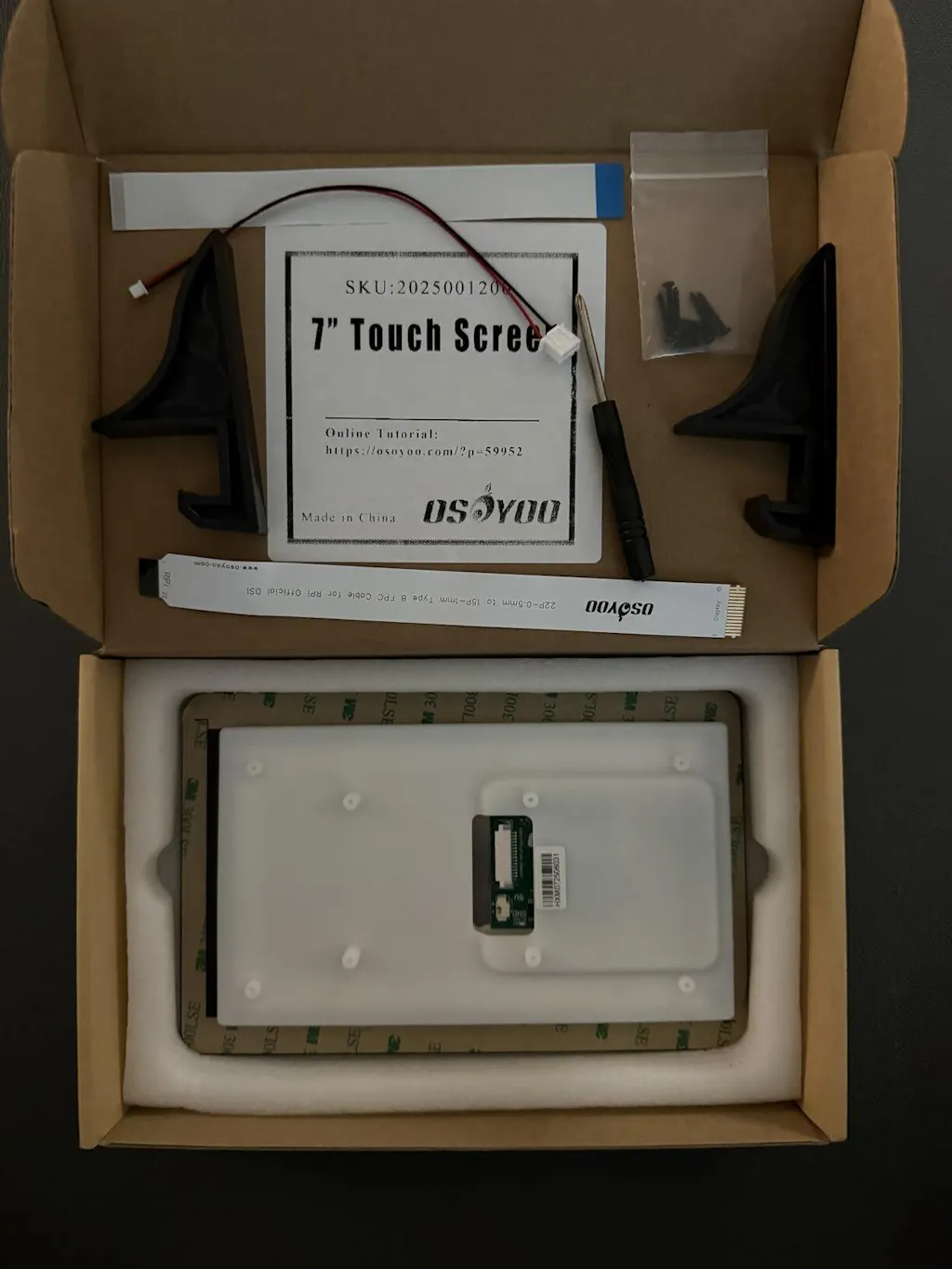
This review is for the "OSOYOO 7" DSI IPS 720×1280 HD Capacitive Touchscreen for Raspberry 5/4B/4B+/3A+ DSI & GPIO Powered 6H Hardness Tempered Glass Anti-Fingerprint."
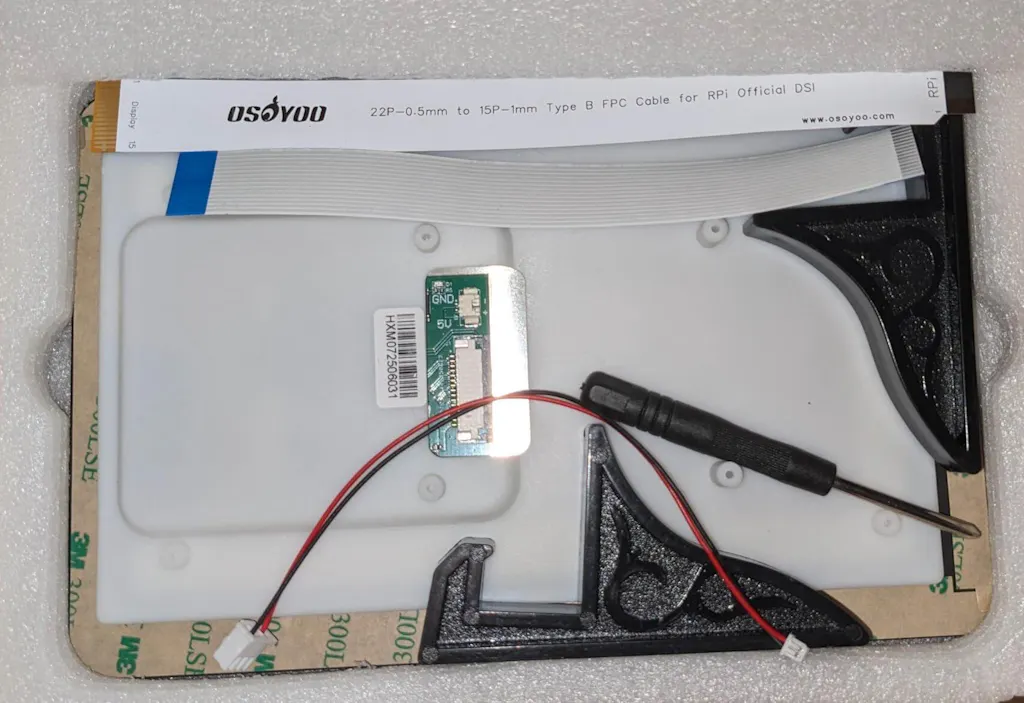
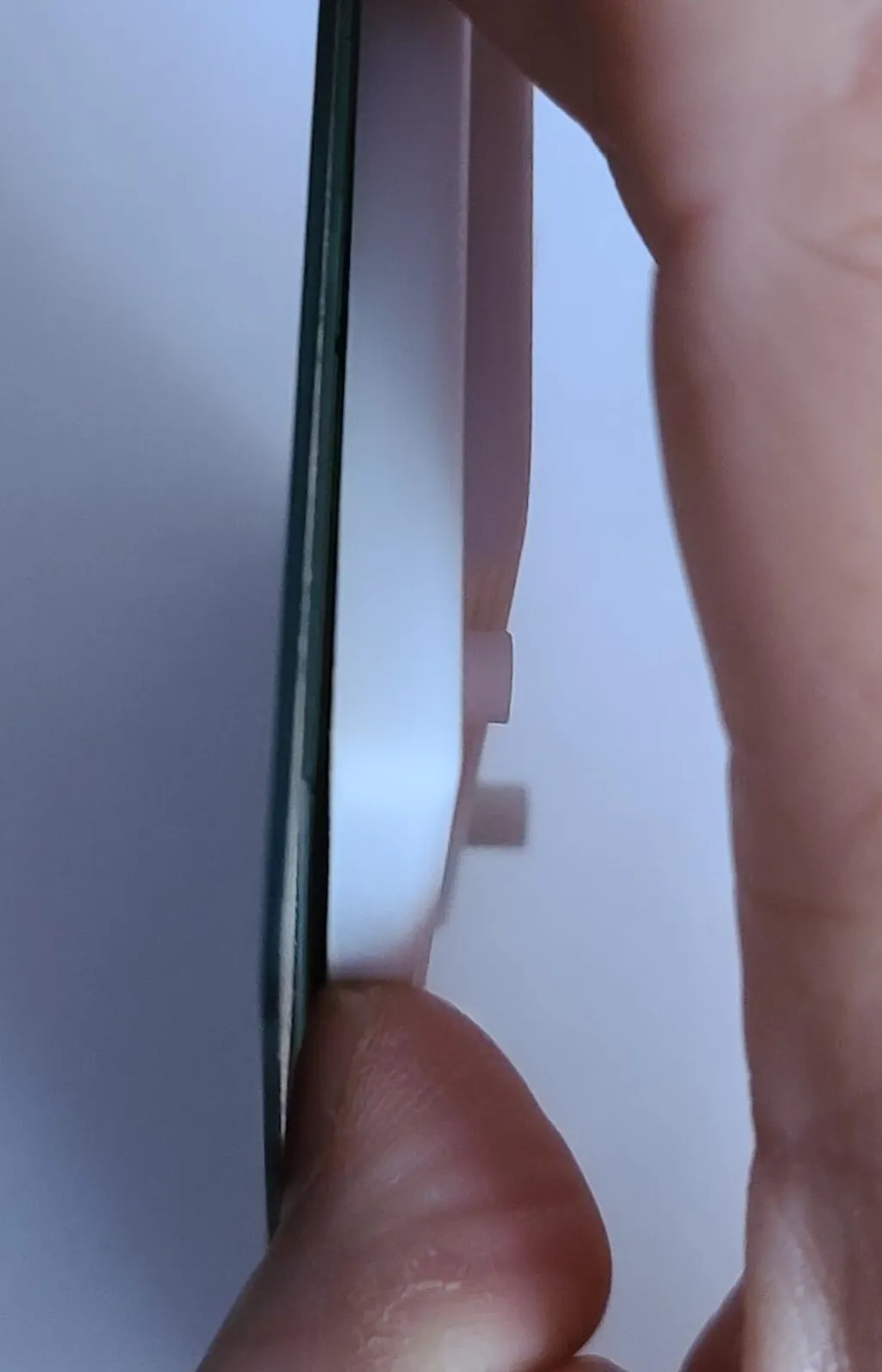
My one caveat has to do with the white plastic/pvc cover. It's not well secured and I see no immediate way of getting it to be secure (please see photo). I applied almost no torque to separate it from the screen. I'll need to make a case for it eventually as the added weight of my pi 4b will undoubtedly create the same amount of torque when assembled.
I ran a simple test and the screen itself actually looks clear and colors appear correct- not muddy or washed out. I do appreciate the touch screen's sensitivity. I've used resistive touch screens in the past and prefer capacitive technology, so no issues there.
Overall it's a great pi screen for the price- really hard to beat it. I do hope the manufacturer comes up with a better scheme to secure the mount in the future.
If you can live with the caveat I mentioned, it's totally worth recommending it.
This touchscreen works even better than I expected. The touch response is smooth and accurate, so navigating menus or coding interfaces feels effortless without needing a mouse or keyboard. The display quality really stands out. The colors look vibrant and the wide viewing angles make it easy to see from different positions. The 720×1280 resolution is sharp enough for most Raspberry Pi projects, and the brightness adjustment through software is a nice touch, especially when working in different lighting conditions. I did notice that the screen tends to pick up fingerprints pretty easily, so I keep a microfiber cloth nearby to wipe it down. Setup was straightforward, and once connected, it ran perfectly stable. The build feels sturdy enough for continuous use, whether on a workbench or as part of a DIY project. Overall, it’s a reliable and versatile display that adds a lot of functionality and polish to Raspberry Pi builds.
Osoyoo is one of the more reputable providers of touchscreens for the Raspberry Pi, and this 7" capacitive touch panel lives up their reputation. The 7" LCD provides plenty of display area for most Raspberry Pi projects, and is pretty sharp and bright. The 720×1280 resolution is hardware limited - i.e. you can't get any higher resolution out of it - but it is plenty for a 7-inch display, and higher than most in this price range. The touchscreen works great, and you can configure it (and other display settings) through the Rspberry Pi Preferences.
Unlike most Raspberry Pi screens, this one has a plastic cover over the back to protect the electronics, which I appreciate. Besides protecting the board, the cover also looks better, although attaching a Raspberry Pi to the back kinda ruins the finished appearance. I plan to 3D print an enclosure for the whole unit.
This display does require the proper drivers to be installed. Instructions are all online - there is no manual or anything in the box, but the URL is printed on the inside of the top of the box. There are separate instructins for different models of Raspberry Pi, so scroll down if you have a Pi 4 or earlier. The web page includes instructions for flashing an OS image for the Pi. If your Pi already has an OS installed, you don't have to flash a new one - you can skip to Step 3 and download and run Osoyoo's instal script. Once the drivers are installed and the Pi reboots, the display will be in portrait orientation. Follow the instructions to rotate it and adjust the brightness, etc.
The viewing angles are pretty wide, though the brightness does drop off at steeper angles.
Overall, a really good touchscreen, especially considering the low price.